
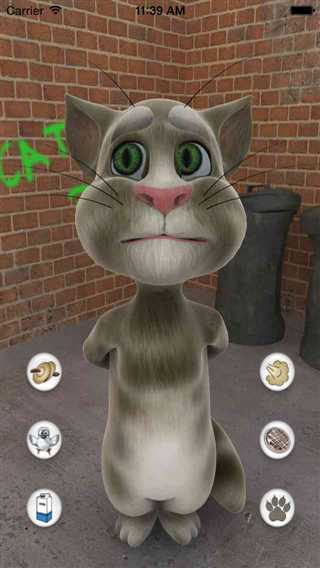
//
// ViewController.m
// TomCat2
//
//
#import "ViewController.h"
@interface ViewController ()
@property (weak, nonatomic) IBOutlet UIImageView *tom;
@end
@implementation ViewController
- (void)viewDidLoad
{
[super viewDidLoad];
NSString *bundlePath = [[[NSBundle mainBundle] bundlePath]stringByAppendingPathComponent:@"ainimals"];
NSString *filePath = [NSString stringWithFormat:@"%@/Drink/drink_00.jpg",bundlePath];
self.tom.image = [UIImage imageWithContentsOfFile:filePath];
}
- (void)runAnimationWithName:(NSString *)name
{
if (self.tom.isAnimating) return;
// 1.设置Tom的动画数组
NSMutableArray *arrayM = [NSMutableArray array];
NSString *bundlePath = [[[NSBundle mainBundle] bundlePath] stringByAppendingPathComponent:@"ainimals"];
NSString *animPath = [bundlePath stringByAppendingPathComponent:name];
// NSFileManager是专门用来做磁盘文件管理的
// 取出指定目录中的所有文件
NSArray *files = [[NSFileManager defaultManager] contentsOfDirectoryAtPath:animPath error:NULL];
NSLog(@"%@",files);
for (NSString *fileName in files) {
NSString *filePath = [NSString stringWithFormat:@"%@/%@",animPath,fileName];
UIImage *image = [UIImage imageWithContentsOfFile:filePath];
[arrayM addObject:image];
}
self.tom.animationImages = arrayM;
self.tom.animationDuration = arrayM.count * 0.075;
self.tom.animationRepeatCount = 1;
// 2.开始播放
[self.tom startAnimating];
NSLog(@"%f",self.tom.animationDuration);
// 3.清空动画数组
[self.tom performSelector:@selector(setAnimationImages:) withObject:nil afterDelay:self.tom.animationDuration];
}
-(IBAction)tomAction:(UIButton *)button
{
[self runAnimationWithName:button.currentTitle];
}
@end
原文:http://www.cnblogs.com/Holy-Mac/p/4359338.html