
工具:vs2019 sql server2012
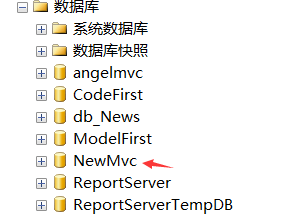
链接sqlserver,创建数据库 NewMvc
在web.config下编写连接字符串(ConnectionString)
<connectionStrings>
    <add name="conn" connectionString="data source=.;initial catalog=NewMvc;integrated security=True;" providerName="System.Data.SqlClient" />
  </connectionStrings>
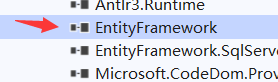
添加ef引用 nuget包 Entity Framework 安装
新建实体类Employee.cs
 public class Employee
    {
        [Key]
        public int EmployeeId { get; set; }

        public string FirstName { get; set; }

        public string LastName { get; set; }
        public int Salary { get; set; }
    }
新建实体操作类SalesERPDAL.cs PS:要继承DbContext
 public class SalesERPDAL:DbContext
    {
        public SalesERPDAL() : base("conn")
        {

        }
        protected override void OnModelCreating(DbModelBuilder modelBuilder)
        {
            modelBuilder.Entity<Employee>().ToTable("TblEmployee");//表名称
            base.OnModelCreating(modelBuilder);
        }
        public DbSet<Employee> employees { get; set; }//DbSet表示数据库中能够被查询的所有Employee
    }
调用就实例化操作类new SalesERPDAL
我们随便写个list来看看能不能拿到数据
 public List<Employee> GetEmployees()
        {
            SalesERPDAL salesDal = new SalesERPDAL();
             return salesDal.employees.ToList();
        }
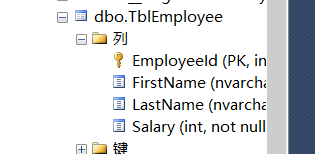
启动网站后会自动生成数据表
原文:https://www.cnblogs.com/zjhn/p/14818014.html