
1、css代码(lunbo.css):
           @charset "utf-8";
           #father{
                border: 0px solid red;
                width: 1300px;
                height: 2170px;
                margin: auto;
            }
            .top{
                border: 0px solid blue;
                width: 431px;
                height: 50px;
                float: left;
            }
            #top{
                padding-top: 12px;
                height: 38px;
            }
            #menu{
                border: 0px solid red;
                width: 1300px;
                height: 50px;
                background-color: black;
                margin-bottom: 10px;
            }
            ul li{
                display: inline;
                color: white;
            }
            #clear{
                clear: both;
            }

            #product{
                border: 0px solid red;
                width: 1300px;
                height: 558px;
            }
            #product_top{
                border: 0px solid blue;
                width: 100%;
                height: 45px;
                padding-top: 8px;
            }
            #product_bottom{
                border: 0px solid green;
                width: 100%;
                height: 500px;
            }
            #product_bottom_left{
                border: 0px solid red;
                width: 200px;
                height: 500px;
                float: left;
            }
            #product_bottom_right{
                border: 0px solid blue;
                width: 1094px;
                height: 500px;
                float: left;
            }
            #big{
                border: 0px solid red;
                width: 544px;
                height: 248px;
                float: left;
            }
            .small{
                border: 0px solid blue;
                width: 180px;
                height: 248px;
                float: left;

                text-align: center;
            }

            #bottom{
                text-align: center;
            }

            a{
                text-decoration: none;
            }
2、轮播图的函数:
        <script>
            function init(){
                setInterval("changeImg()",3000);
            }
            var i=0
            function changeImg(){
                i++;
                document.getElementById("img").src="../img/"+i+".jpg";
                if(i==3){
                    i=0;
                }
            }
        </script>
其中:setInterval("changeImg()",3000);的作用是3000ms执行一次 changeImg()函数,在 changeImg()函数中, document.getElementById("img").src="../img/"+i+".jpg"; 是在给img属性赋值(图片的路径)。
    <body onload="init()">

            <div id="">
                <img src="../img/1.jpg" width="100%" id="img"/>
            </div>

    </body>
3、完整轮播图代码:
<!DOCTYPE html>
<html>
    <head>
        <meta charset="UTF-8">
        <title>首页</title>
        <style>
            @import url("/css/lunbo.css");
        </style>
        <script>
            function init(){
                setInterval("changeImg()",3000);
            }
            var i=0
            function changeImg(){
                i++;
                document.getElementById("img").src="../img/"+i+".jpg";
                if(i==3){
                    i=0;
                }
            }
        </script>
    </head>
    <body onload="init()">

            <div id="">
                <img src="../img/1.jpg" width="100%" id="img"/>
            </div>

    </body>
</html>
4、项目结构:
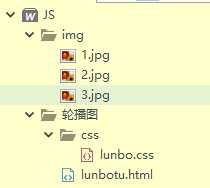
5、轮播图效果:
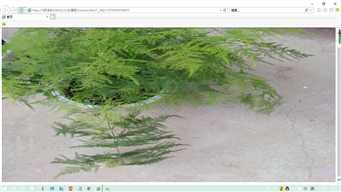
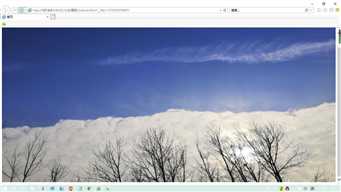
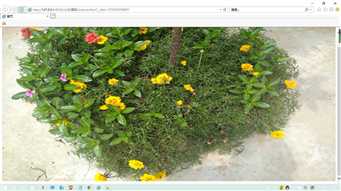
三张图片每隔三秒切换一次。
原文:https://www.cnblogs.com/zhai1997/p/12218795.html