
常见操作
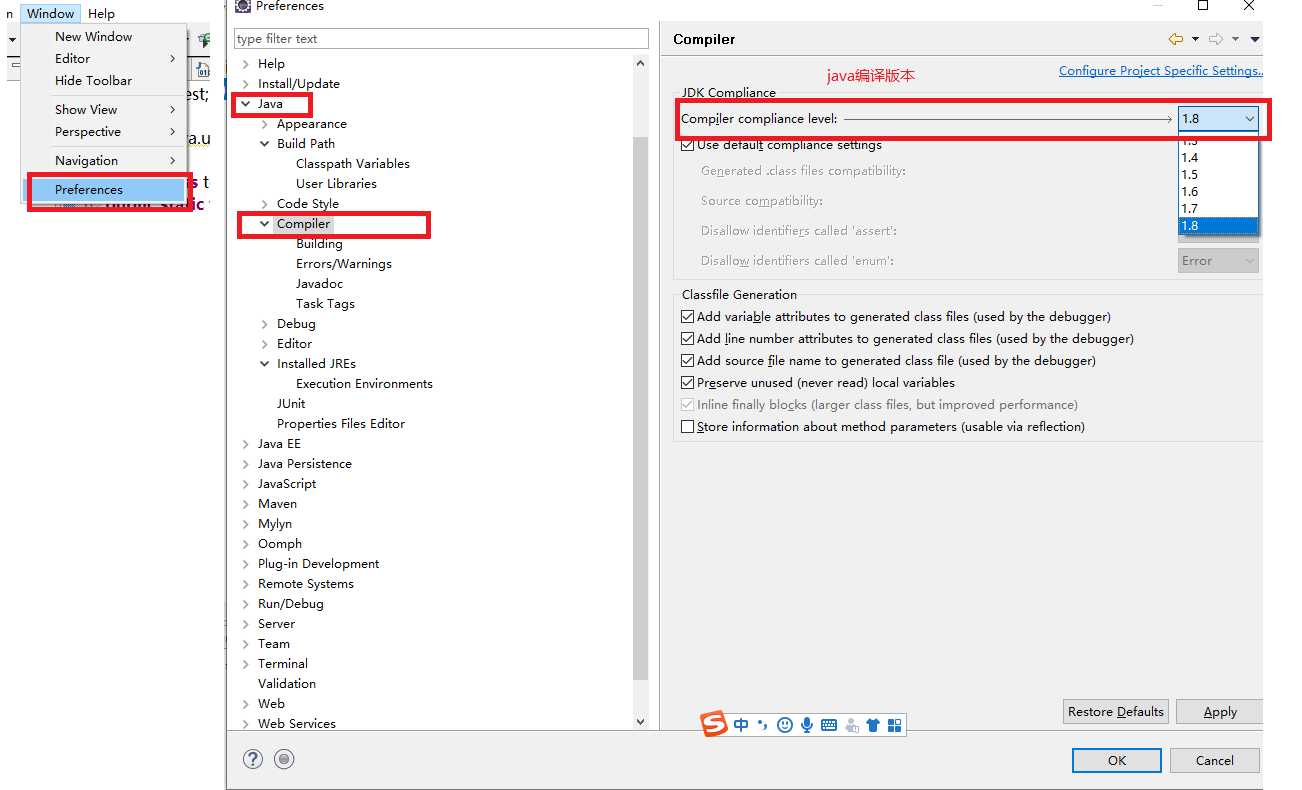
编译环境:Window -- Preferences – Java - Compiler
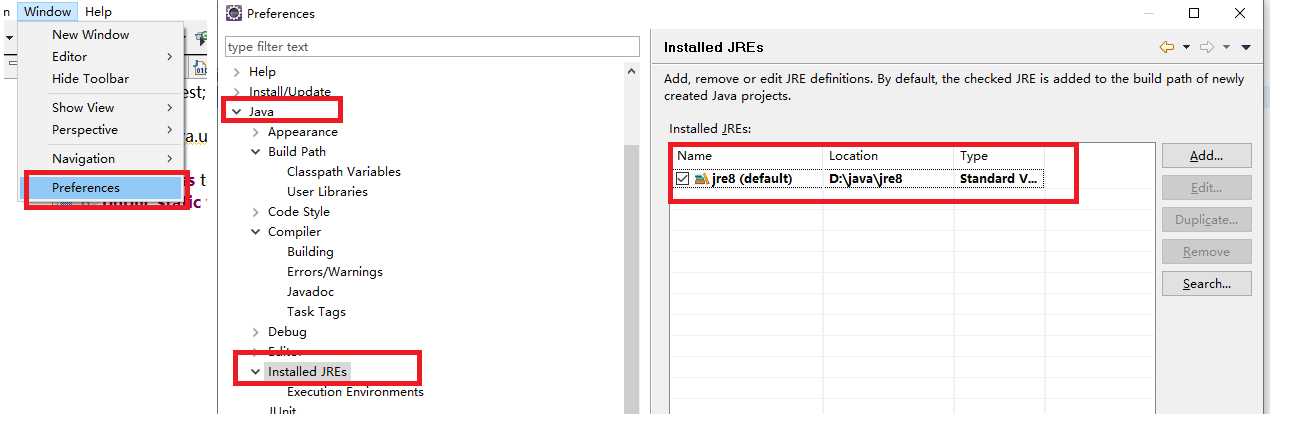
运行环境:Window -- Preferences – Java - Installed JREs
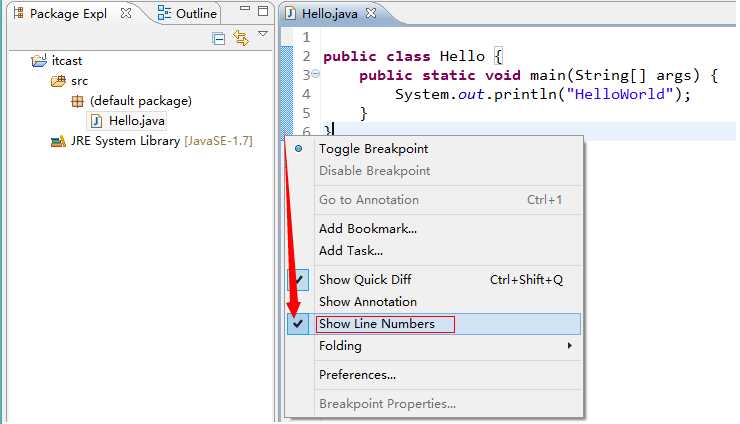
显示:在代码区域的左边空白区域,右键 -- Show Line Numbers
隐藏:将上面的操作再做一遍
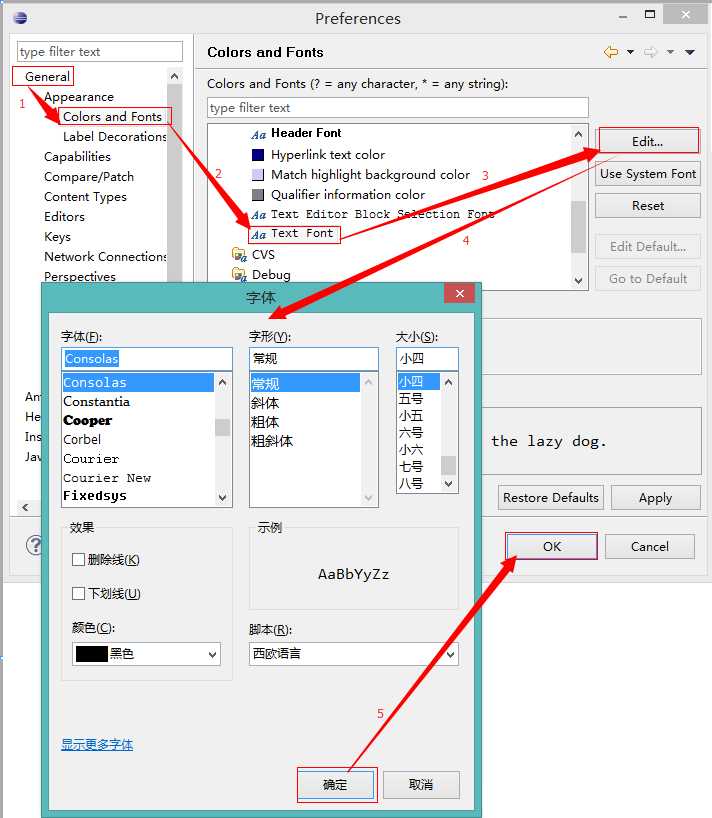
修改java代码的字体大小与颜色
Window -- Preferences -- General -- Appearance -- Colors and Fonts -- Java -- Java Editor Text Font选中后,点击Edit,进行修改
修改其他字体大小与颜色
Window -- Preferences -- General -- Appearance -- Colors and Fonts -- Bacic -- Text Font 选中后 点击Edit ,进行修改
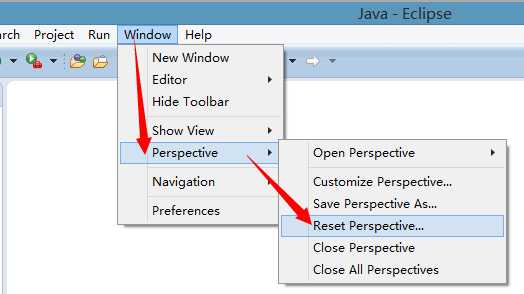
Window – Perspective -- Reset Prespective
5.修改代码自动生成的模板
方法注释模板
Window -- Preferences -- Java -- Code Style -- Code Templates -- Comments – Methods,点击Edit ,将注释部分删除 (不建议删除)
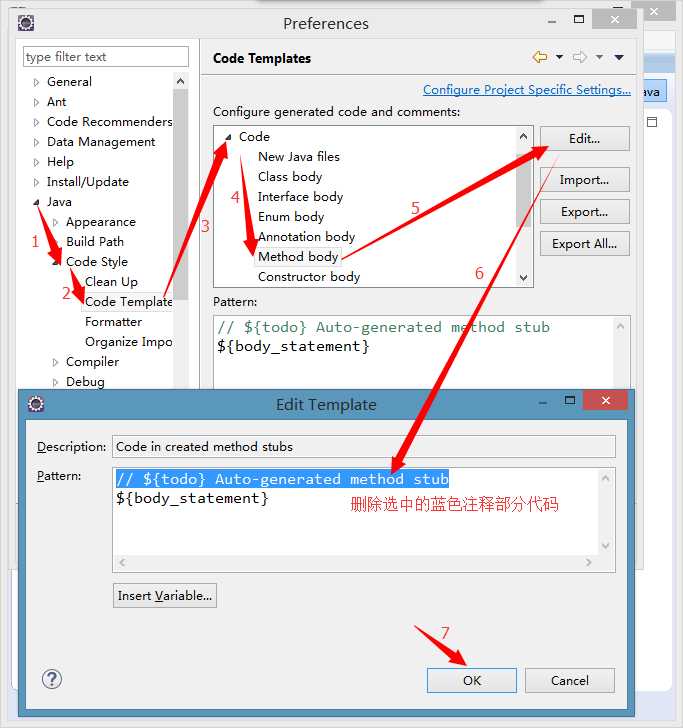
Window -- Preferences -- Java -- Code Style -- Code Templates -- Code -- Method body,点击Edit ,将注释部分删除
原文:https://www.cnblogs.com/qq1452753919/p/10547830.html