
localStorage,sessionStorage
<!DOCTYPE html>
<html lang="en">
<head>
    <meta charset="UTF-8">
    <title>Title</title>
</head>
<body>
    <textarea id="text" cols="80" rows="10"></textarea>
    <input type="button" value="set" id="btn-set">
    <input type="button" value="get" id="btn-get">
</body>
<script>
    var btnSet = document.querySelector(‘#btn-set‘);
    var btnGet = document.querySelector(‘#btn-get‘);
    var text = document.querySelector(‘#text‘)
    btnGet.addEventListener(‘click‘,function(){
       /* if(window.localStorage){
            text.value = localStorage[‘key1‘];
        }*/
        if(window.sessionStorage){
            /*alert("支持");*/
            text.value = sessionStorage[‘key1‘];
        }
    });
    btnSet.addEventListener(‘click‘, function () {
      /*  localStorage[‘key1‘] = text.value;*/
        sessionStorage[‘key1‘] = text.value;
    });
</script>
</html>
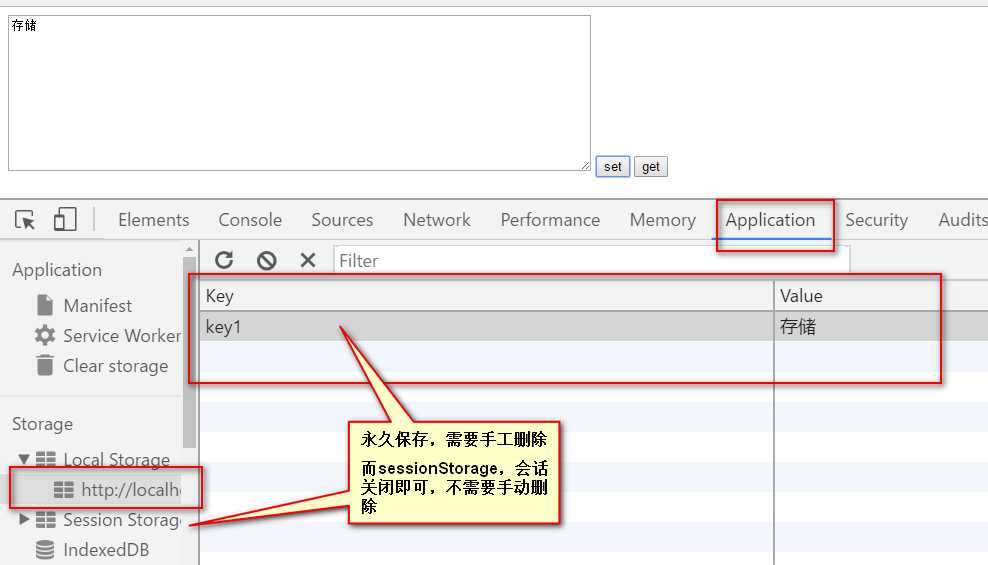
原文:http://www.cnblogs.com/suxiaoxia/p/6850235.html