
多说不如多撸:
/**
 * Created by shaotingzhou on 2017/2/23.
 */
/**
 * Sample React Native App
 * https://github.com/facebook/react-native
 * @flow
 */

import React, { Component } from ‘react‘;
import {
    AppRegistry,
    StyleSheet,
    Text,
    View,
    Keyboard,
    TextInput,
    Dimensions
} from ‘react-native‘;
var ScreenWidth = Dimensions.get(‘window‘).width;

export default class Root extends Component {
    // 构造
    constructor(props) {
        super(props);
        // 初始状态
        this.state = {
            keyboardHeight:0
        };
    }
    render() {
        return (
            <View style={styles.container}>
                <Text style={styles.welcome}>
                    Welcome to React Native!
                </Text>
                <Text style={styles.instructions}>
                    To get started, edit index.android.js
                </Text>
                <Text style={styles.instructions}>
                    Double tap R on your keyboard to reload,{‘\n‘}
                    Shake or press menu button for dev menu
                </Text>
                <Text style={styles.instructions}>
                    To get started, edit index.android.js
                </Text>
                <Text style={styles.instructions}>
                    Double tap R on your keyboard to reload,{‘\n‘}
                    Shake or press menu button for dev menu
                </Text>
                <Text style={styles.instructions}>
                    To get started, edit index.android.js
                </Text>
                <Text style={styles.instructions}>
                    Double tap R on your keyboard to reload,{‘\n‘}
                    Shake or press menu button for dev menu
                </Text>
                <Text style={styles.instructions}>
                    To get started, edit index.android.js
                </Text>
                <Text style={styles.instructions}>
                    Double tap R on your keyboard to reload,{‘\n‘}
                    Shake or press menu button for dev menu
                </Text>
                <TextInput
                    style={{width:ScreenWidth,height:100,borderWidth:2,marginBottom:this.state.keyboardHeight}}
                />
            </View>
        );
    }

    componentWillUnmount() {
        this.keyboardDidShowListener.remove();
        this.keyboardDidHideListener.remove();
    }

    componentWillMount() {
        this.keyboardDidShowListener = Keyboard.addListener(‘keyboardDidShow‘, this._keyboardDidShow.bind(this));
        this.keyboardDidHideListener = Keyboard.addListener(‘keyboardDidHide‘, this._keyboardDidHide.bind(this));
    }

    _keyboardDidShow(e){
        this.setState({
            keyboardHeight:e.startCoordinates.height
        })

    }

    _keyboardDidHide(e){
        this.setState({
            keyboardHeight:0
        })
    }
}

const styles = StyleSheet.create({
    container: {
        flex: 1,
        justifyContent: ‘center‘,
        alignItems: ‘center‘,
        backgroundColor: ‘#F5FCFF‘,
    },
    welcome: {
        fontSize: 20,
        textAlign: ‘center‘,
        margin: 10,
    },
    instructions: {
        textAlign: ‘center‘,
        color: ‘#333333‘,
        marginBottom: 5,
    },
});
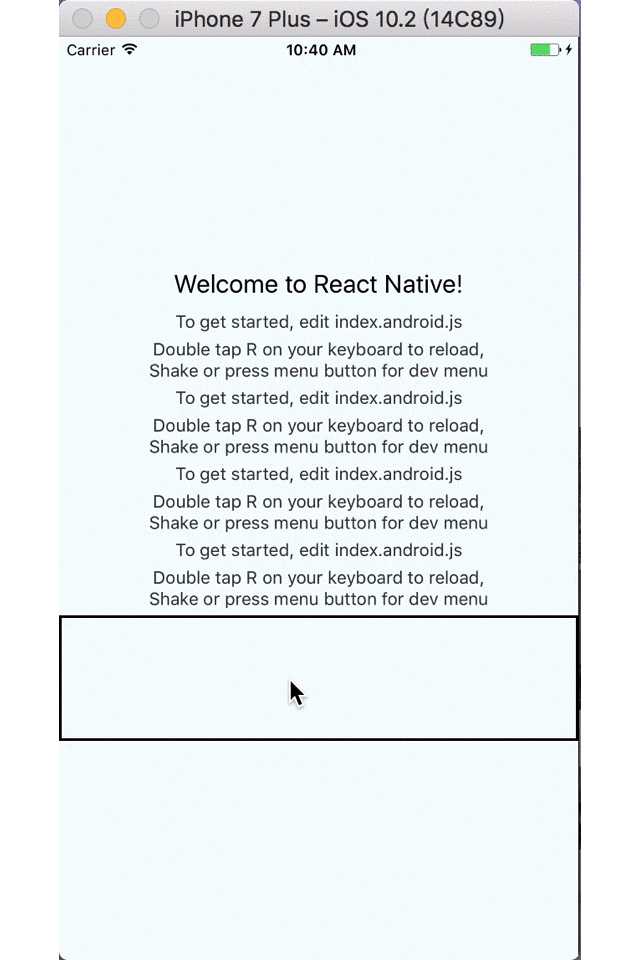
效果:
原文:http://www.cnblogs.com/shaoting/p/6432386.html