
一,
注意:去掉头部和中间间隔
正确的理解方法
1.设置标头的高度为特小值 (不能为零 为零的话苹果会取默认值就无法消除头部间距了)
UIView *view = [[UIView alloc]initWithFrame:CGRectMake(0, 0, self.view.frame.size.width, 0.001)];
view.backgroundColor = [UIColor redColor];
self.tableView.tableHeaderView = view;
2.写代理方法(中间的留白其实是段尾的高度 代理的作用设置段尾的高度 返回值也不能为0)
-(CGFloat)tableView:(UITableView *)tableView heightForFooterInSection:(NSInteger)section
{
return 0.01f;
}

特殊的处理方法也能实现该效果
1.    self.tableView.contentInset = UIEdgeInsetsMake(-44, 0, 0, 0);

2.重写UITableViewHeaderFooterView的
-(void)setFrame:(CGRect)frame{
frame.size.height+=10;
[super setFrame:frame];
}


例如:
_themeTable= [[UITableView alloc]initWithFrame:CGRectMake(0, 0, self.view.frame.size.width, self.view.frame.size.height - 70) style:UITableViewStyleGrouped];
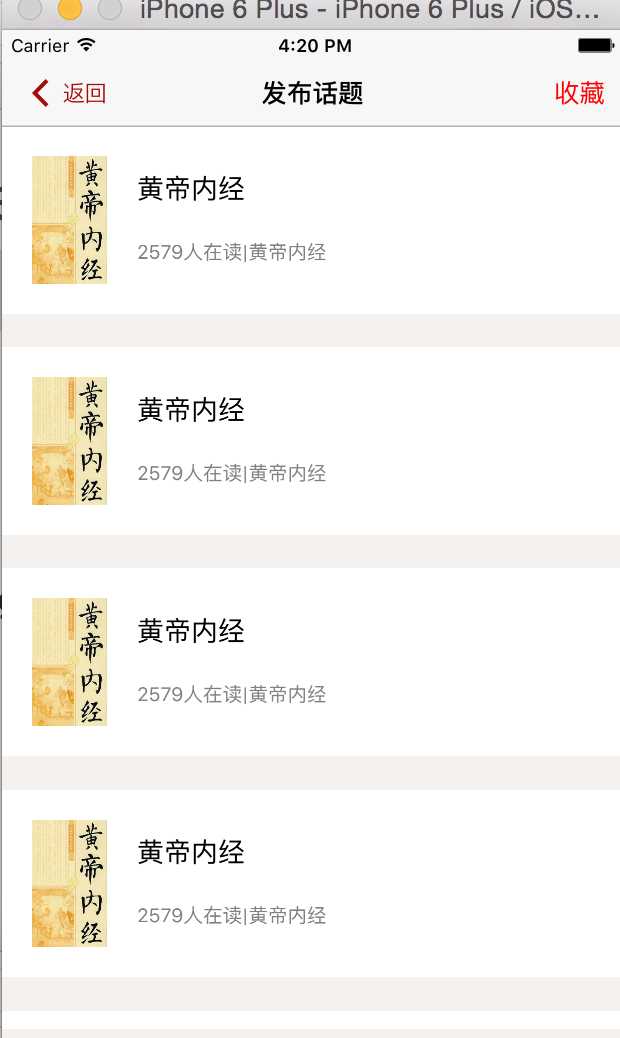
二,
1.有多段时 段头停留(自带效果)
2.没有中间的间距和头部间距(要想有的重写UITableViewCell \UITableViewHeaderFooterView里面的setFrame方法)
扩展:让段头不停留(取消粘性效果)
- (void)scrollViewDidScroll:(UIScrollView *)scrollView {
    CGFloat sectionHeaderHeight = 30;
    if (scrollView.contentOffset.y<=sectionHeaderHeight&&scrollView.contentOffset.y>=0) {
        scrollView.contentInset = UIEdgeInsetsMake(-scrollView.contentOffset.y, 0, 0, 0);
    } else if (scrollView.contentOffset.y>=sectionHeaderHeight) {
        scrollView.contentInset = UIEdgeInsetsMake(-sectionHeaderHeight, 0, 0, 0);
    }
}


例如:
_themeTable= [[UITableView alloc]initWithFrame:CGRectMake(0, 0, self.view.frame.size.width, self.view.frame.size.height - 70) style:UITableViewStylePlain];
-cell之间无隔

iOS tableView 中 UITableView中UITableViewStyleGrouped和UITableViewStylePlain的区别
原文:http://www.cnblogs.com/Lovexiaohuzi/p/5643117.html