
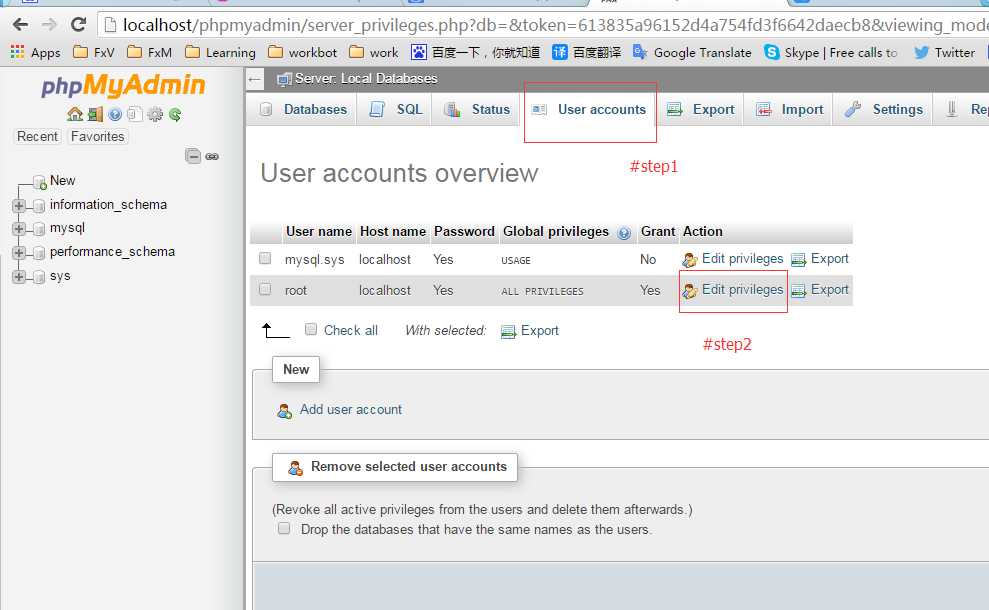
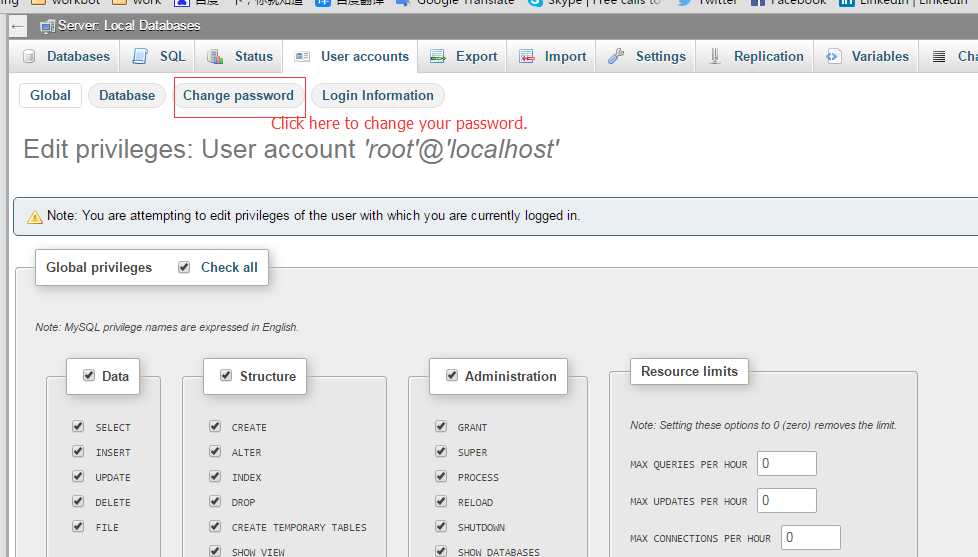
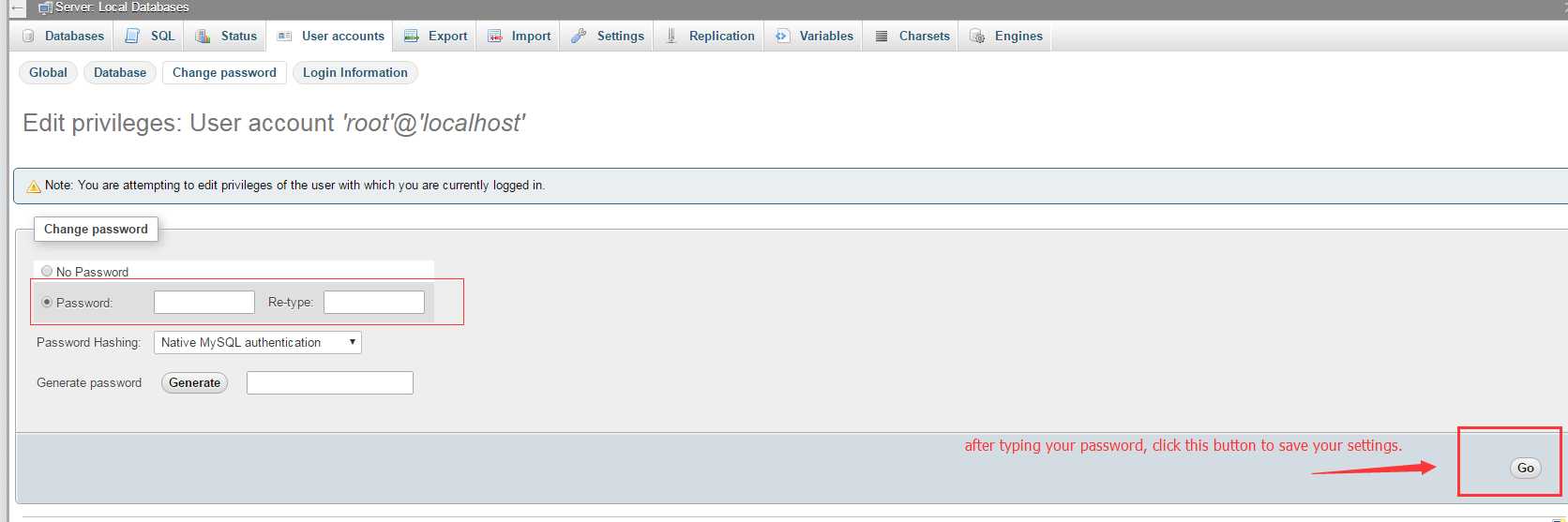
#1. use phpmyadmin to login mysql and click the account menu, and then click "Change the password", type your password you want to setup, such as: "123456"
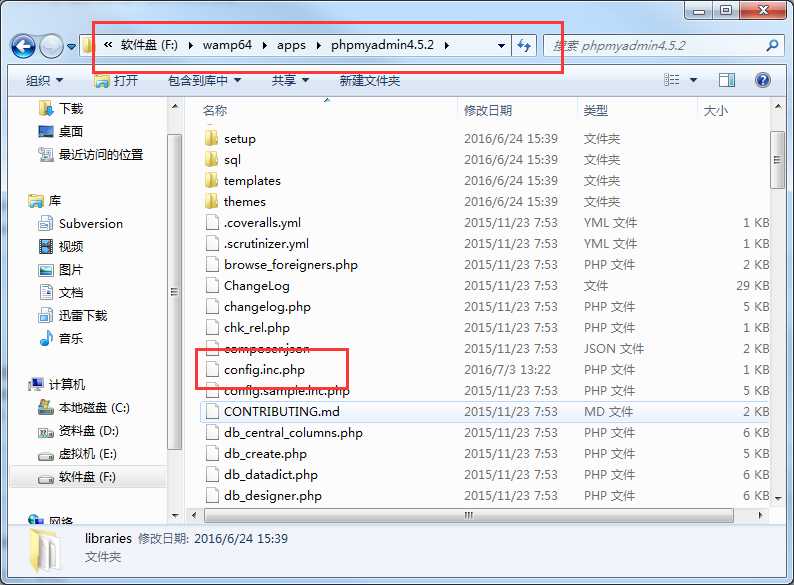
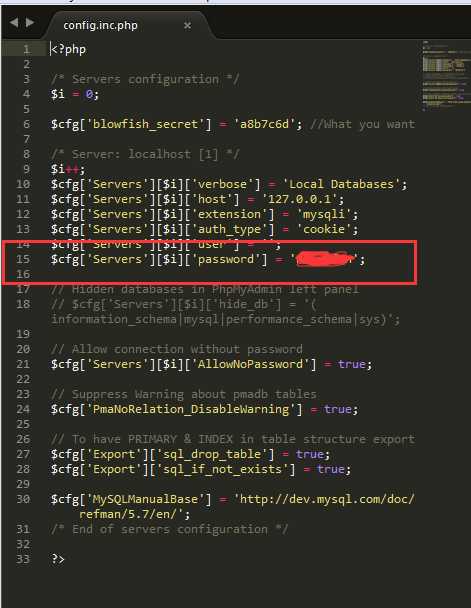
#2. Enter the wampserver installation directory, such as F:\wamp64\apps\phpmyadmin4.5.2, open config.inc.php file. modify $cfg[‘Servers‘][$i][‘password‘]=‘your password‘, such as: "123456"
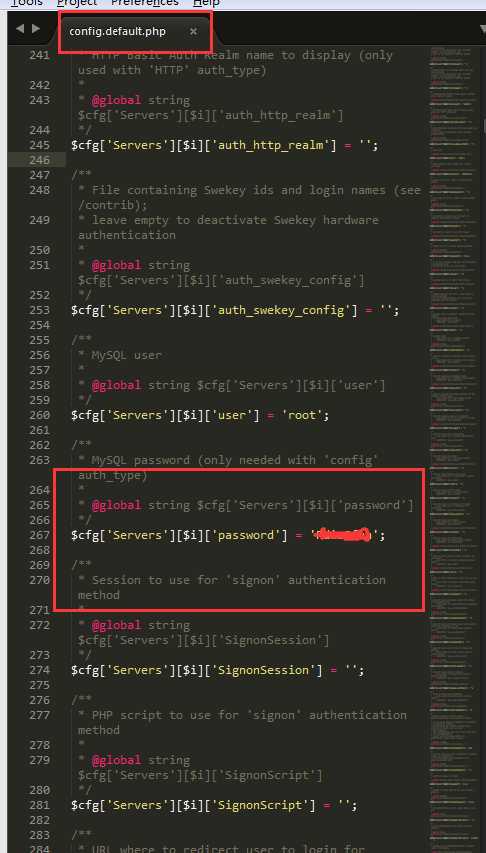
#3. Enter into the directory "F:\wamp64\apps\phpmyadmin4.5.2\libraries", and open "config.default.php" file, and modify $cfg[‘Servers‘][$i][‘password‘]=‘your password‘, such as: "123456"
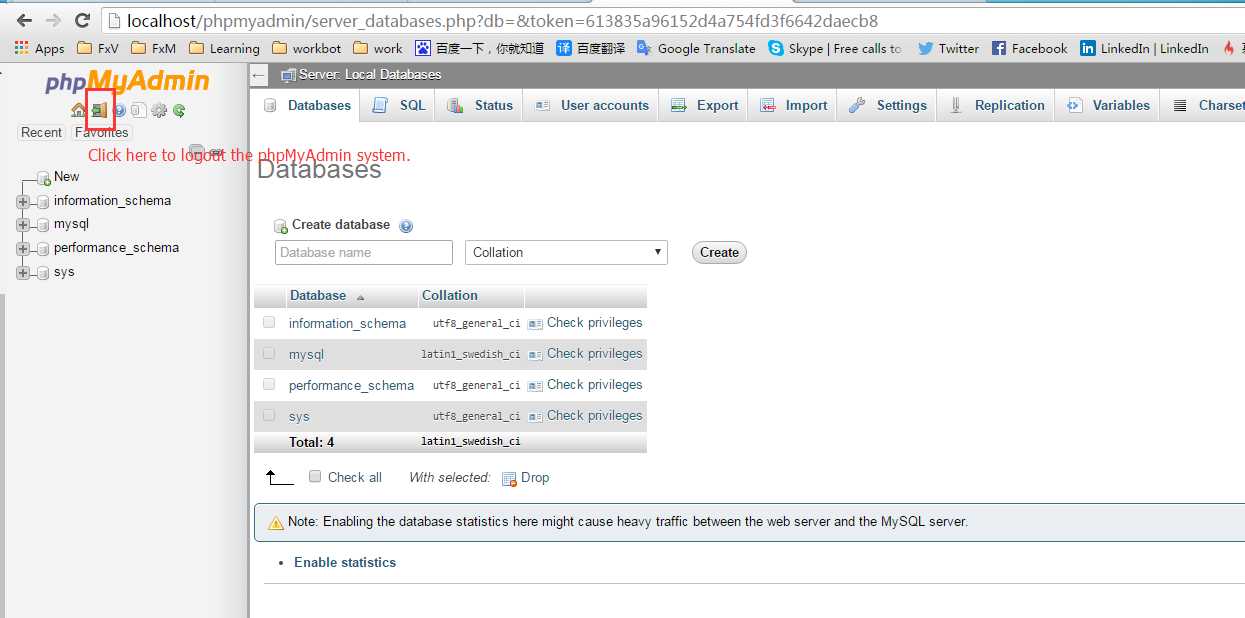
#4. logout phpmyadmin, and try to login.
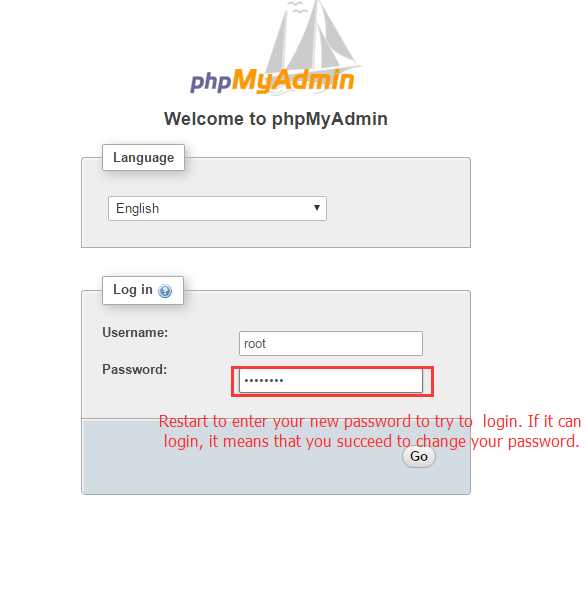
when you re-see this interface. it means you succeed to finish this thing.
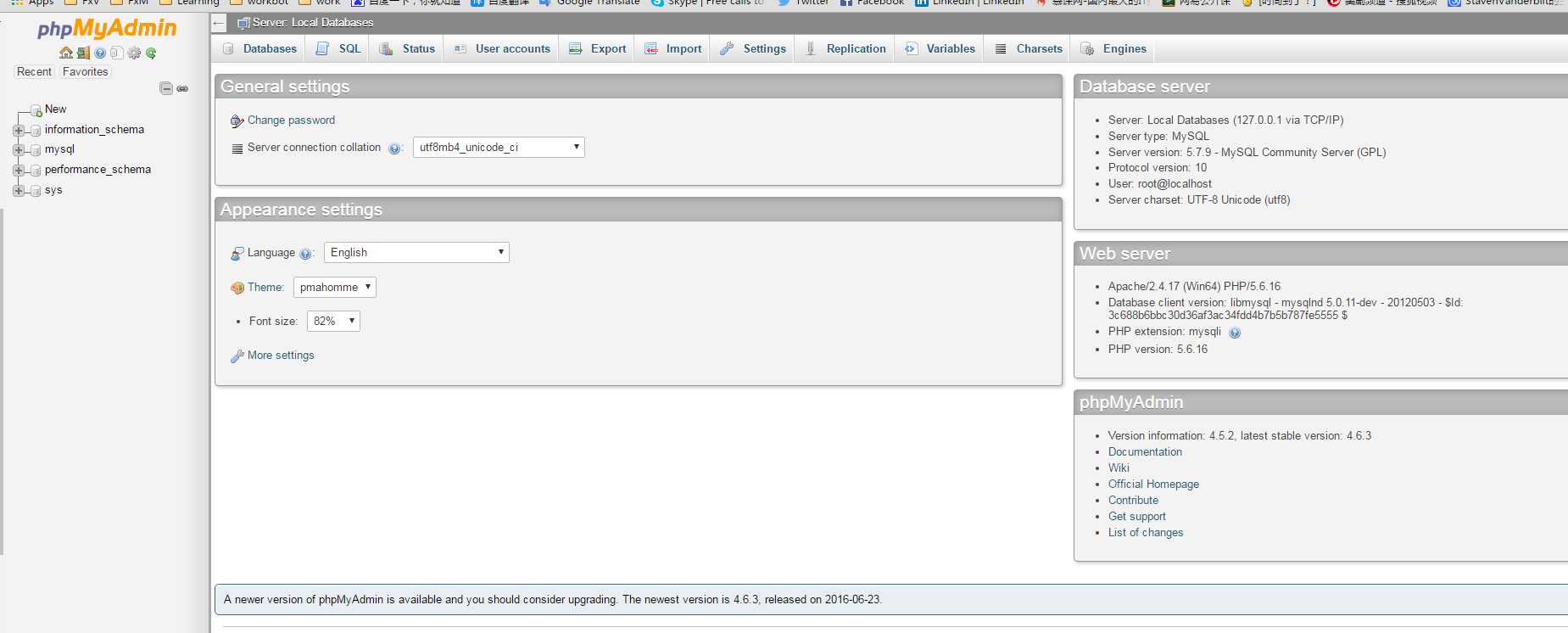
How to change your password of your mysql account in WampServer
原文:http://www.cnblogs.com/stavenVanderbilt/p/5637942.html