
特此声明~此方法比较小白,比GitHub上的大神的第三方土多了~
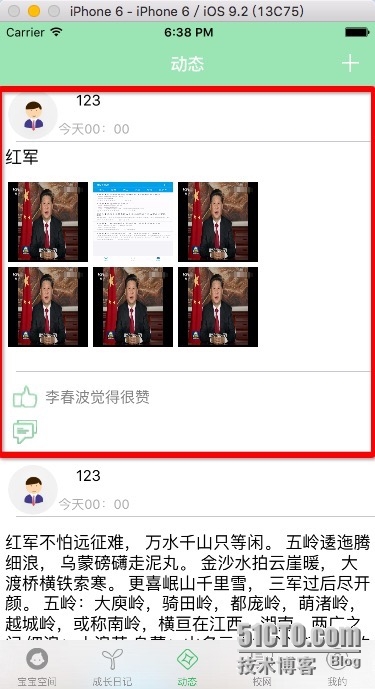
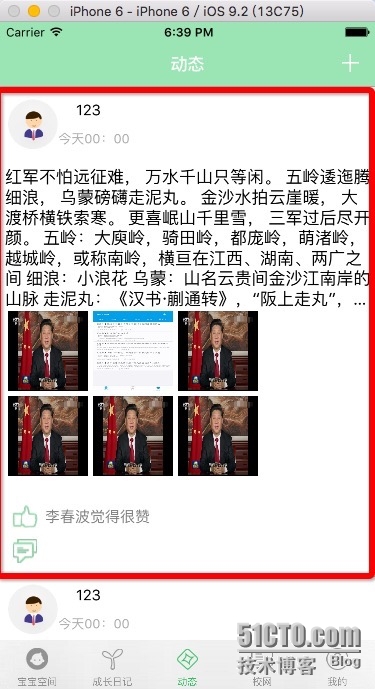
思路是这样的,获取文字,设置文字大小,设置文字行宽,设置Label的numberLines = 0,然后得到高度
,赋值给Lebel的frame
//计算文本高度
let options : NSStringDrawingOptions =
NSStringDrawingOptions.UsesLineFragmentOrigin
blogDicText.font = UIFont.systemFontOfSize(17)
let string:NSString = bloginfo.content!
let screenBounds:CGRect = UIScreen.mainScreen().bounds
let boundingRect =
string.boundingRectWithSize(CGSizeMake(screenBounds.width-5, 0),
options: options, attributes: [NSFontAttributeName:blogDicText.font],
context: nil)
blogDicText.text = bloginfo.content!
blogDicText.frame = CGRectMake(5, 5, boundingRect.size.width,
boundingRect.size.height)
如果你想规定高度大于多少显示多少行只需要改变Label的numberLines = ?就可以了。
cell的高度一样,文本的高度加上图片的高度就可以算出cell的高度!
本人菜鸟,希望大家品评指正~谢谢大家的关注!
本文出自 “Swift开发IOS应用” 博客,请务必保留此出处http://lichunbo.blog.51cto.com/10020606/1739643
原文:http://lichunbo.blog.51cto.com/10020606/1739643