
#import <UIKit/UIKit.h>

@interface AppDelegate : UIResponder <UIApplicationDelegate>

@property (strong, nonatomic) UIWindow *window;


@end
#import "AppDelegate.h"
#import "KeyViewController.h"
@interface AppDelegate ()

@end

@implementation AppDelegate


- (BOOL)application:(UIApplication *)application didFinishLaunchingWithOptions:(NSDictionary *)launchOptions {
    self.window = [[UIWindow alloc] initWithFrame:[[UIScreen mainScreen] bounds]];
    // Override point for customization after application launch.
    self.window.backgroundColor = [UIColor whiteColor];
    //初始化导航
    UINavigationController *navi = [[UINavigationController alloc] initWithRootViewController:[[KeyViewController alloc] init]];

    //设置导航栏的背景颜色(iOS7之后)
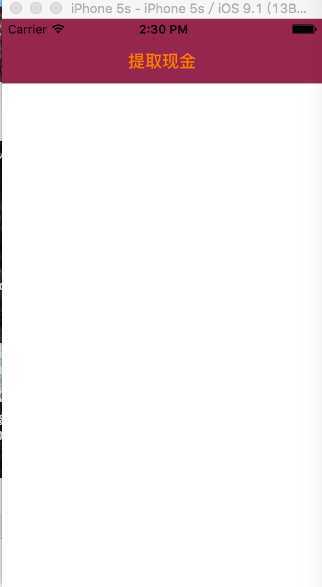
    [[UINavigationBar appearance] setBarTintColor:[[UIColor alloc] initWithRed:133/255.0 green:0 blue:47/255.0 alpha:1]];

    //使用背景图片来设置导航栏的颜色(iOS7之后)
//    [[UINavigationBar appearance] setBackgroundImage:[UIImage imageNamed:@"顶栏背景"] forBarMetrics:UIBarMetricsDefault];

    //设置导航栏上文字的颜色(iOS7之后)
    [[UINavigationBar appearance] setTitleTextAttributes:@{NSForegroundColorAttributeName:[UIColor orangeColor]}];
    self.window.rootViewController = navi;

    [self.window makeKeyAndVisible];
    return YES;
}

@end
#import <UIKit/UIKit.h>

@interface KeyViewController : UIViewController

@end
#import "KeyViewController.h"

@interface KeyViewController ()

@end

@implementation KeyViewController

- (void)viewDidLoad {
    [super viewDidLoad];
    self.title = @"提取现金";

}

- (void)didReceiveMemoryWarning {
    [super didReceiveMemoryWarning];
    // Dispose of any resources that can be recreated.
}


@end
原文:http://www.cnblogs.com/lantu1989/p/5075861.html